GPU mode - lecture2 - CUDA 101
https://www.youtube.com/watch?v=NQ-0D5Ti2dc&t=9s
https://github.com/gpu-mode/lectures/tree/main/lecture_002
from PMPP book
1. Memory allocation
- nvidia devices come with their own DRAM (device) global memory
- cudaMalloc & cudaFree:
1 | |
cudaMemcpy: Host <-> Device Transfer
1 | |
- size is the number of bytes
CUDA Error handling: CUDA functions return cudaError_t .. if not cudaSuccess we have a problem …
2. Kernel functions fn<<>>
- Launching kernel = grid of threads is launched
- All threads execute the same code: Single program multiple-data (SPMD)
- Threads are hierarchically organized into grid blocks & thread blocks
- up to 1024 threads can be in a thread block
Kernel Coordinates
built-in variables available inside the kernel:
blockIdx,threadIdxthese “coordinates” allow threads (all executing the same code) to identify what to do (e.g. which portion of the data to process)
each thread can be uniquely identified by
threadIdx&blockIdxbuilt-in
blockDimtells us the number of threads in a blockfor vector addition we can calculate the array index of the thread
int i = blockIdx.x * blockDim.x + threadIdx.x;
Threads execute the same kernel code
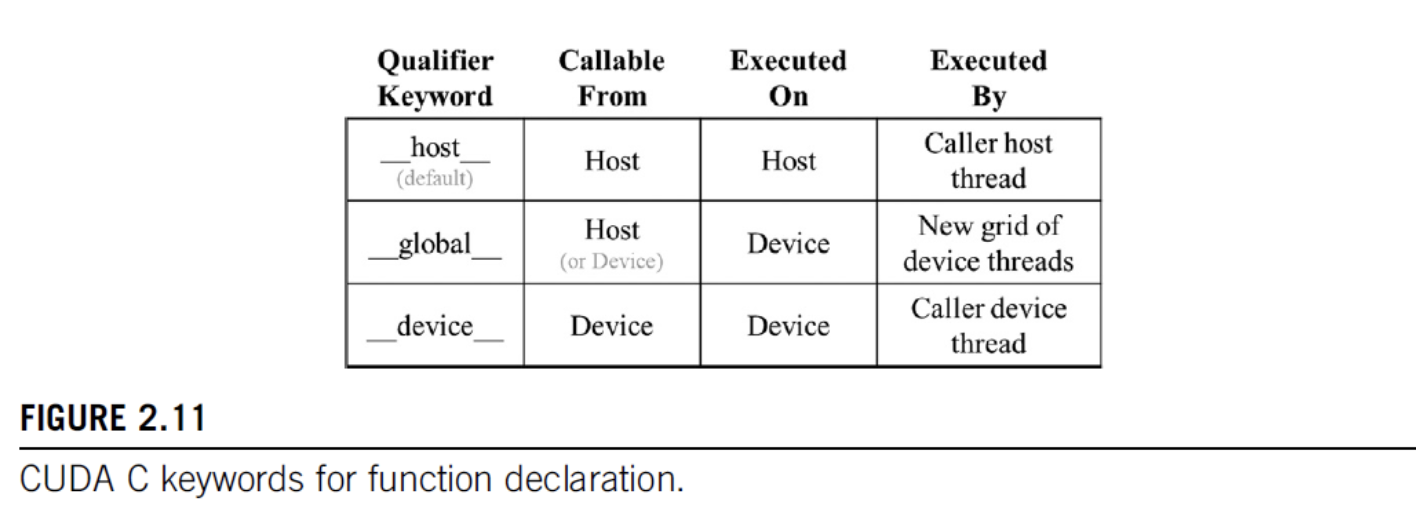
global & host
- declare a kernel function with
__global__ - calling a
__global__function -> launches new grid of cuda threads - functions declared with
__device__can be called from within a cuda thread - if both
__host__&__device__are used in a function declaration CPU & GPU versions will be compiled
3. Vector Addition Example
- general strategy: replace loop by grid of threads
- data sizes might not perfectly divisible by block sizes: always check bounds
- prevent threads of boundary block to read/write outside allocated memory
1 | |
Calling Kernels
- kernel configuration is specified between
<<<and>>>- number of blocks, number of threads in each block
- we will learn about additional launch parameters (shared-mem size, cudaStream) later
1 | |
Compiler
- nvcc (NVIDIA C compiler) is used to compile kernels into PTX
- Parallel Thread Execution (PTX) is a low-level VM & instruction set
- graphics driver translates PTX into executable binary code (SASS)
4. Grid
- CUDA grid: 2 level hierarchy: blocks, threads
- Idea: map threads to multi-dimensional data
- all threads in a grid execute the same kernel
- threads in same block can access the same shared mem
- max block size: 1024 threads
- built-in 3D coordinates of a thread:
blockIdx,threadIdx- identify which portion of the data to process - shape of grid & blocks:
gridDim: number of blocks in the gridblockDim: number of threads in a block
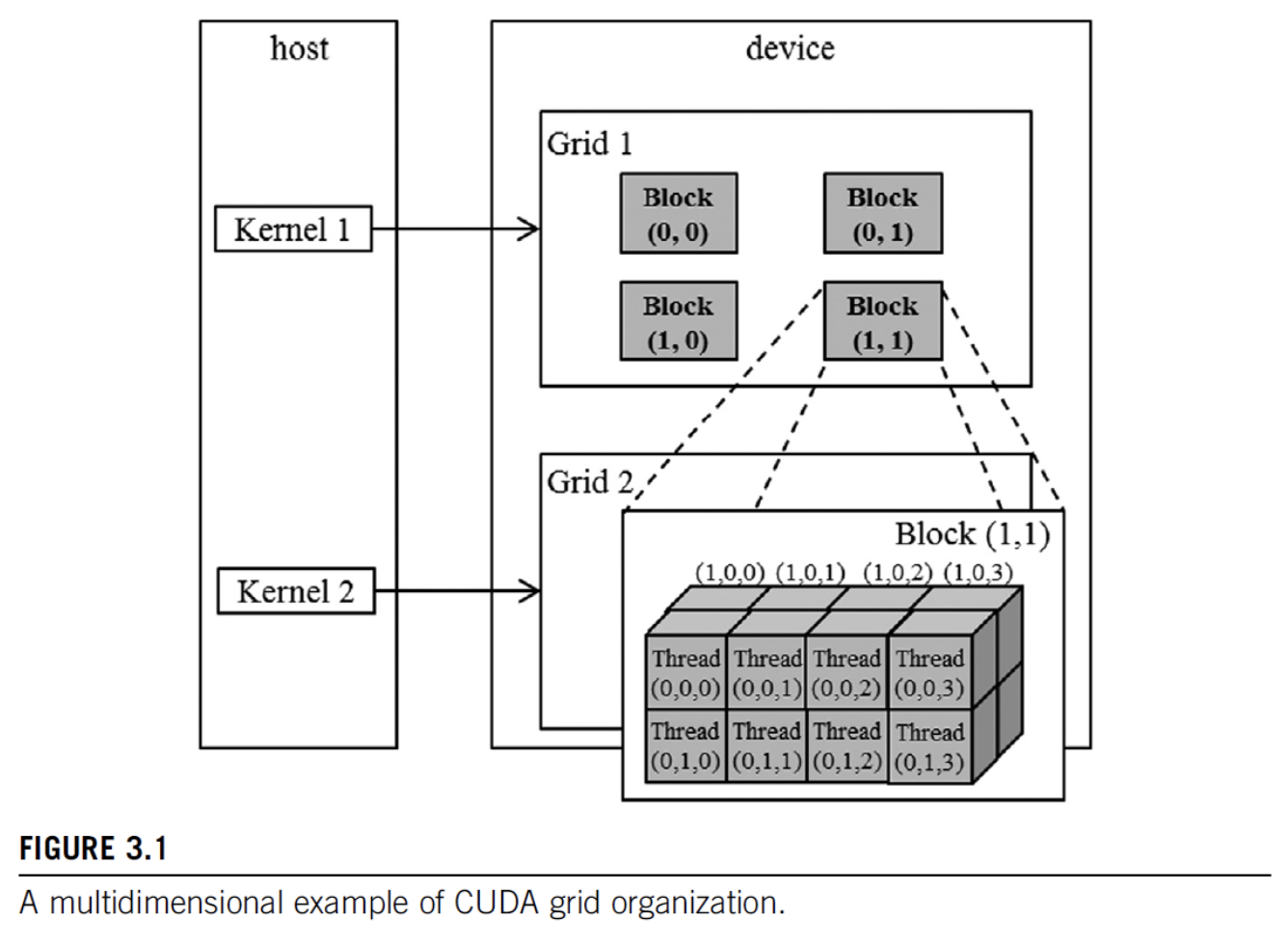
- grid can be different for each kernel launch, e.g. dependent on data shapes
- typical grids contain thousands to millions of threads
- simple strategy: one thread per output element (e.g. one thread per pixel, one thread per tensor element)
- threads can be scheduled in any order
- can use fewer than 3 dims (set others to 1)
- e.g. 1D for sequences, 2D for images etc.
1 | |
each dimension has a default value of 1
dim3(unsigned int vx = 1, unsigned int vy = 1, unsigned int vz = 1);
so we can write dim3 grid(32); in the example above
Built-in Variables
1 | |
- (blockDim & gridDim have the same values in all threads)
5. n-d arrays in Memory

- memory of multi-dim arrays under the hood is flat 1d
- 2d array can be linearized different ways:
- torch tensors & numpy ndarrays use strides to specify how elements are laid out in memory.

6. image bluring example
mean filter example
blurKernel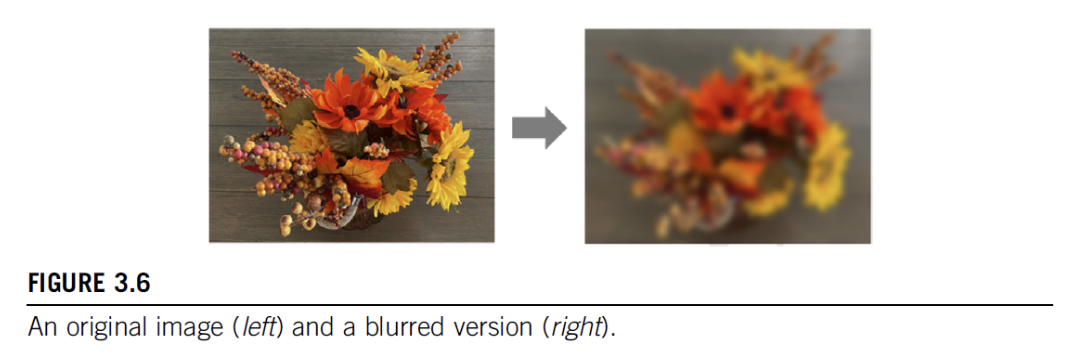
each thread writes one output element, reads multiple values
- we have a loop inside the kernel
shows row-major pixel memory access (in & out pointers)
track of how many pixels values are summed (to do the mean division)
handles boundary conditions
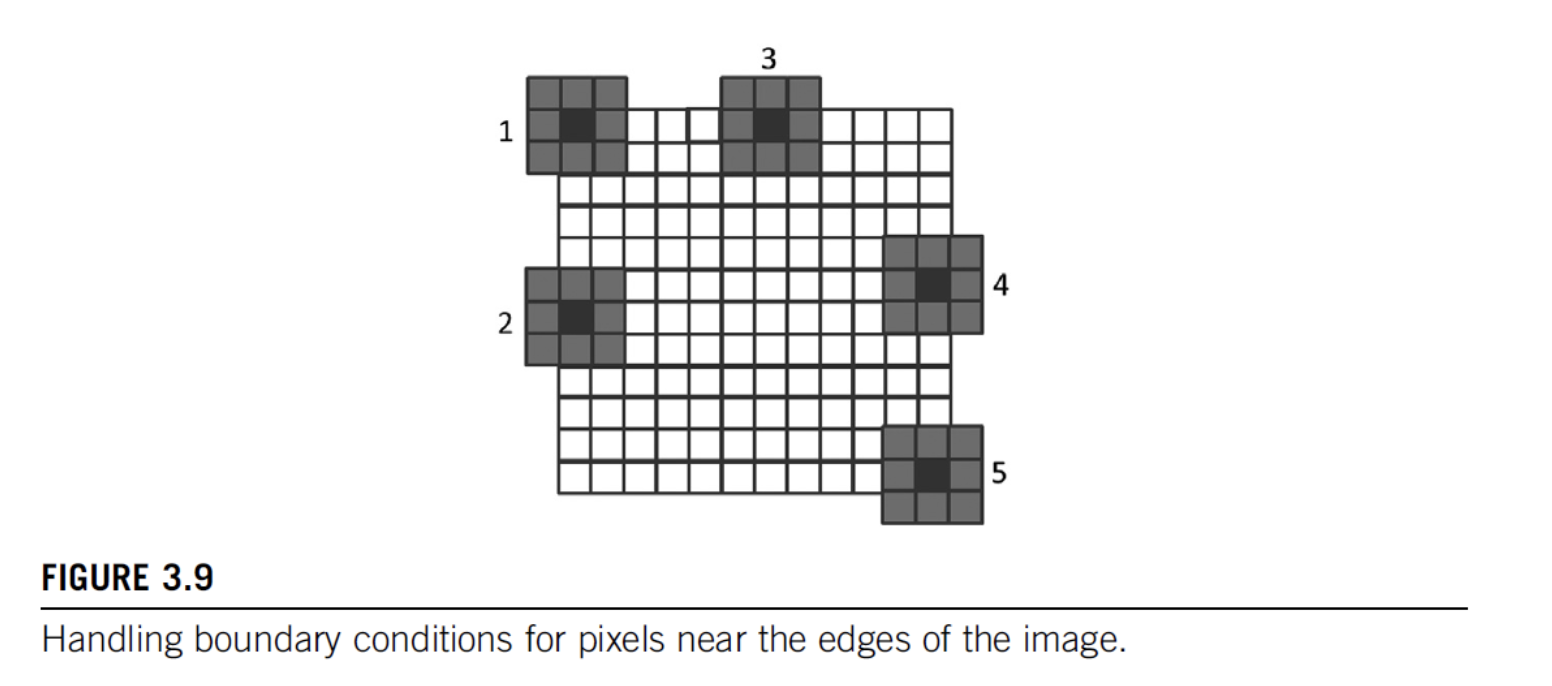
kernel code
1 | |
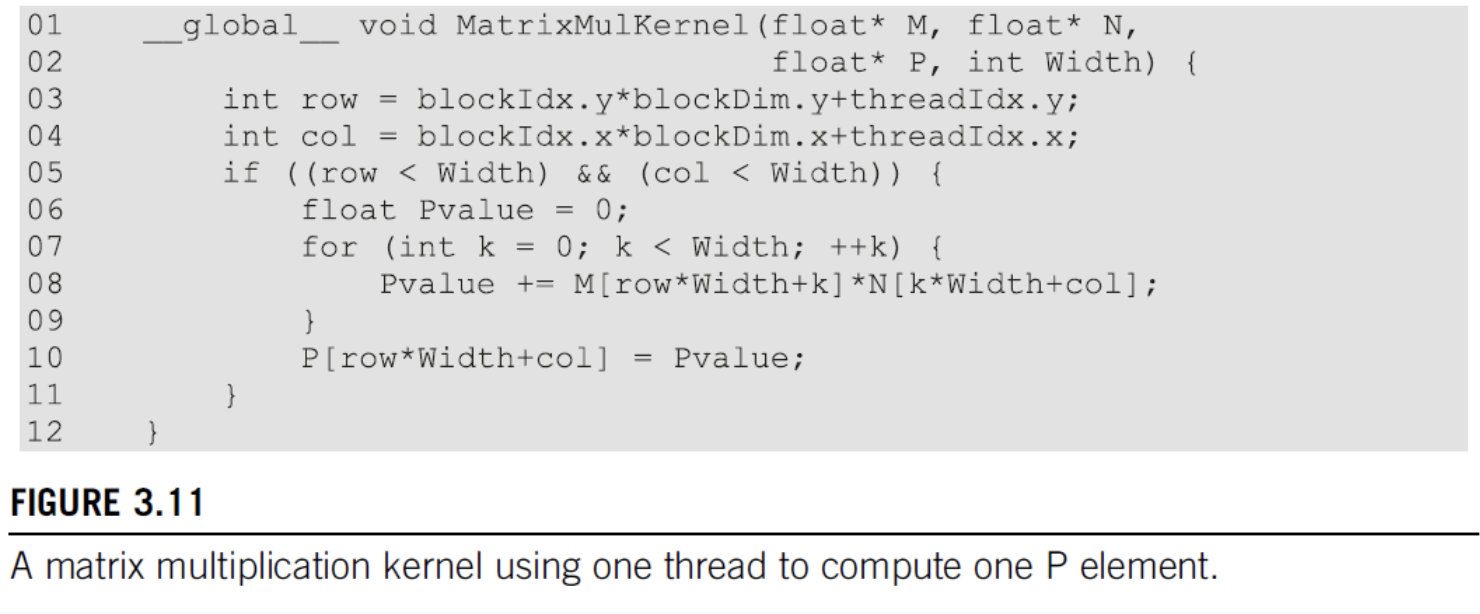
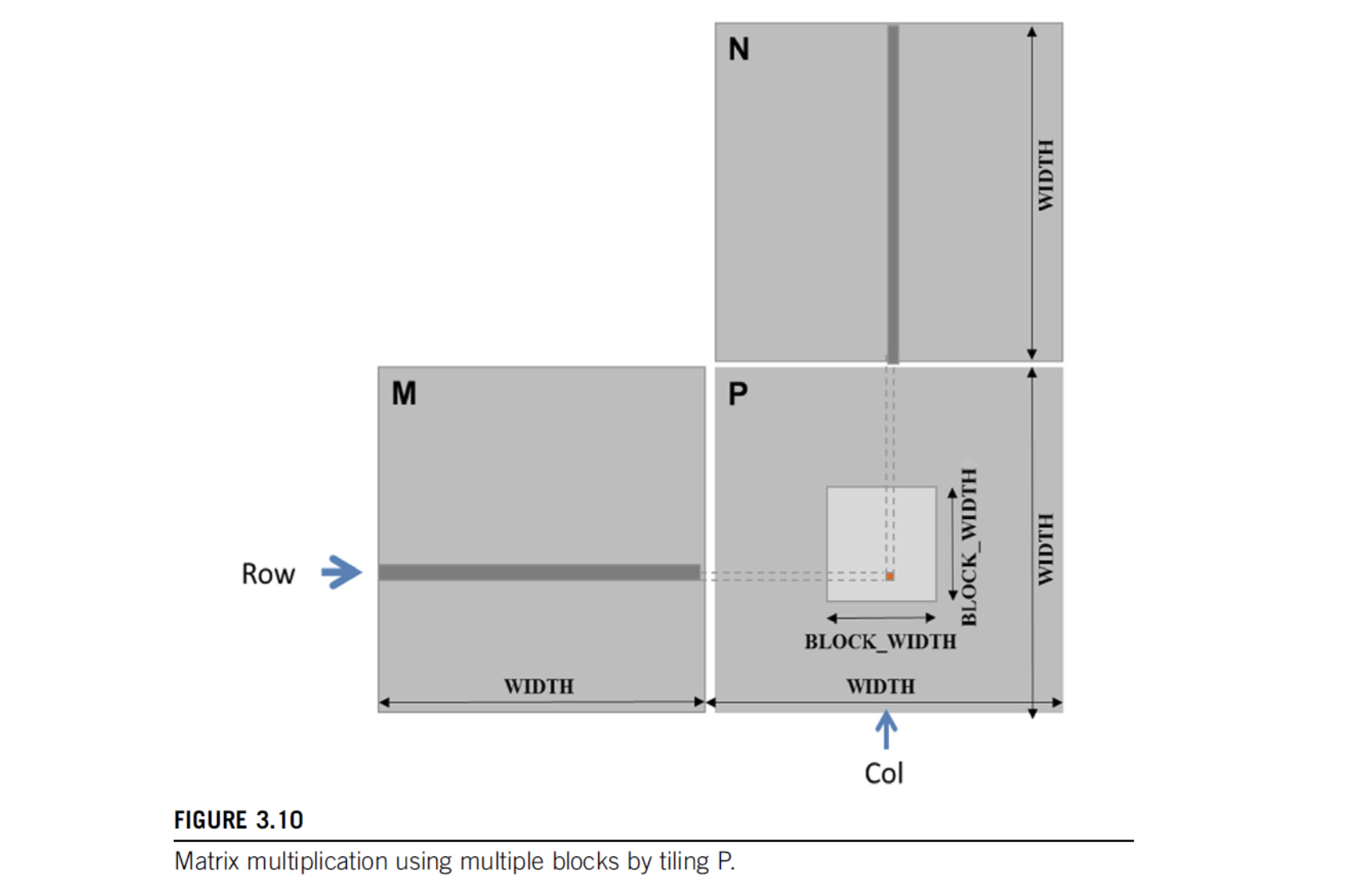
7. Matrix Multiplication
- compute inner-products of rows & columns
- Strategy: 1 thread per output matrix element
- Example: Multiplying square matrices (rows == cols)